Building V2 from Feedback
Here is our plan for this lesson:
- Leave trace feedback on three weak V1 runs.
- Ask Codex to infer V1's weaknesses from your evidence and build V2.
- Connect V2's outcomes in Studio Web, then Pack and upgrade.
Goal
By the end of this lesson V2 is deployed next to V1 in the same solution. It fixes what batch A exposed: urgent tickets get an urgency path, noise skips review, and every draft comes with a recommended approach for the reviewer.
Evidence, not guesses
Codex doesn't redesign the flow from scratch. It reads two kinds of evidence: your review decisions in the completed Action Center tasks, and the trace feedback you leave on individual runs. Trace feedback is a positive or negative mark plus a comment, attached to a run's trace, so the weakness is recorded against the run that showed it.
Steps
1. Prompt 4: leave trace feedback and build V2
For this step, Codex will work for 5 minutes.
Paste the feedback-and-build prompt:
First leave trace feedback on three of the V1 runs (uip traces feedback create needs --positive or --negative plus --comment): the outage ticket should have been treated as urgent, the auto-reply is noise that never needed review, and every draft should come with a recommended approach for the reviewer. Then look at my review decisions in the completed tasks together with that feedback, figure out what's weak in V1, and build a second flow in the same solution, named my team code followed by v2 (for example triage-user24v2), that fixes it. Validate and upload it; I'll deploy from the designer and tell you when it's done.
Once finished, review the summary Codex provided.
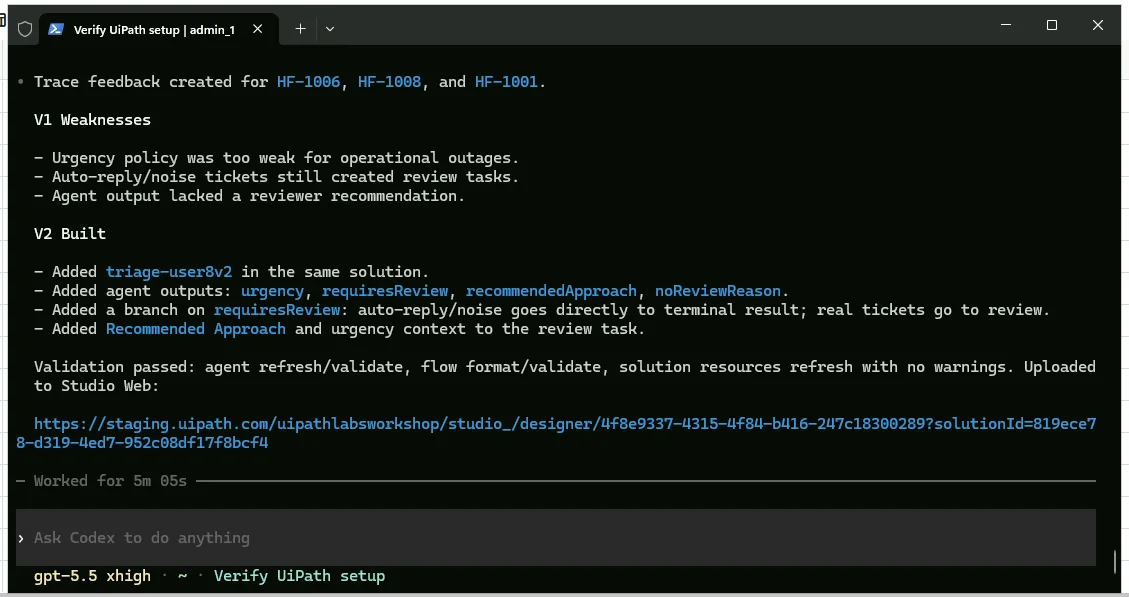
2. Connect V2's outcomes in Studio Web
Return to Studio Web and open your project again.
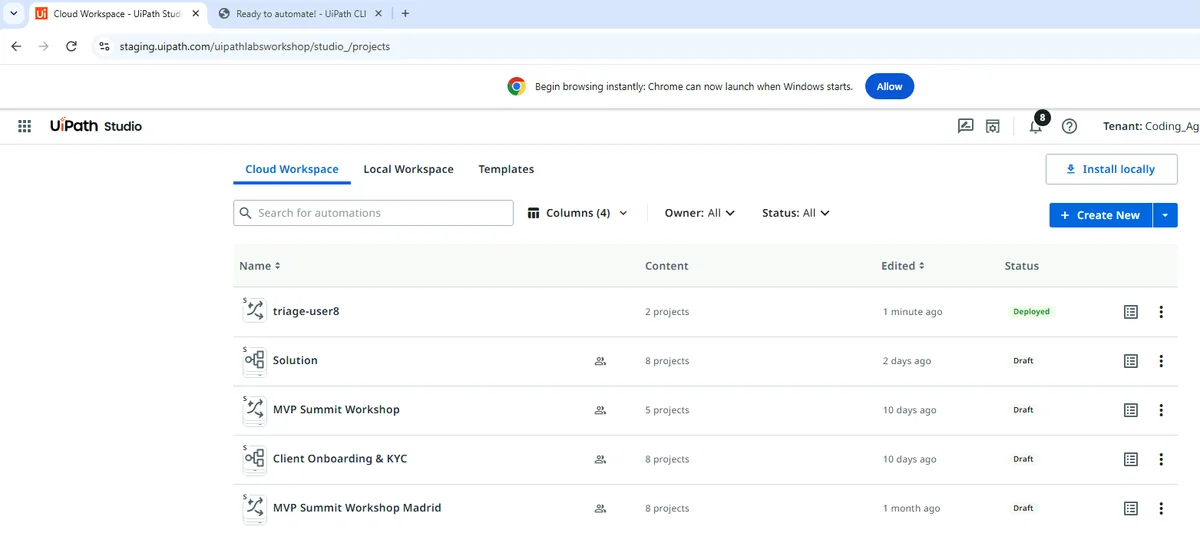
Click on v2 of your Flow project.
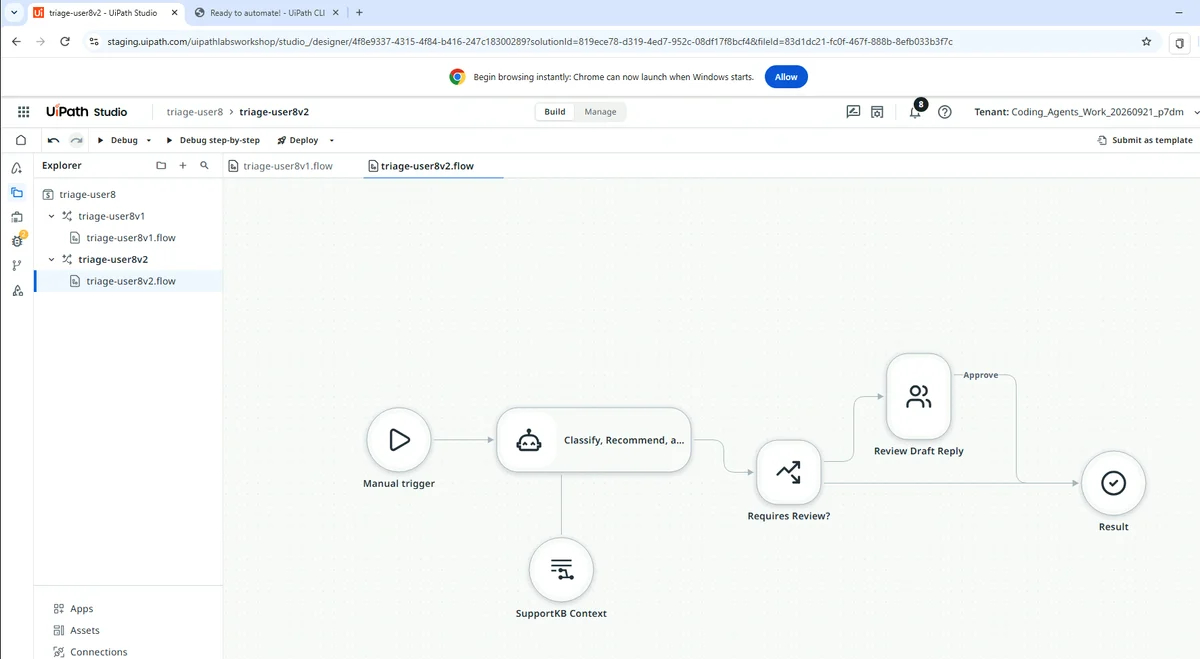
Finish connecting the outcomes from the Action Center task to your end node.
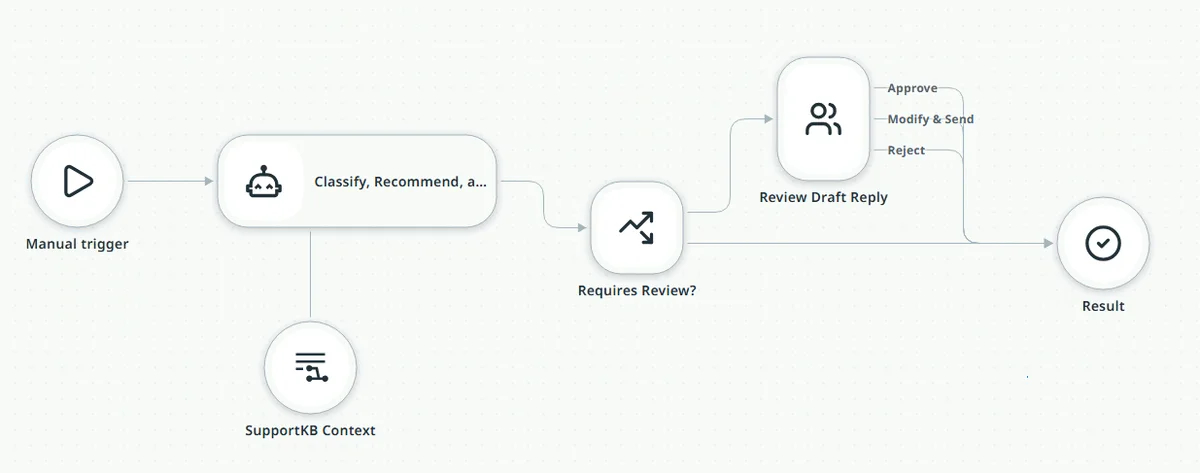
Checkpoint
3 feedback entries readable via uip traces feedback list. Codex names the weaknesses from your evidence (no urgency path, noise reviewed for nothing, no reviewer guidance) and reports a second flow with a needsReview flag, a recommendedApproach field, urgent routing to a High-priority task, and review suppressed for non-actionable noise. Both review tasks are still assigned to you. Upload needs --force this time; that is expected.
3. Deploy V2
-
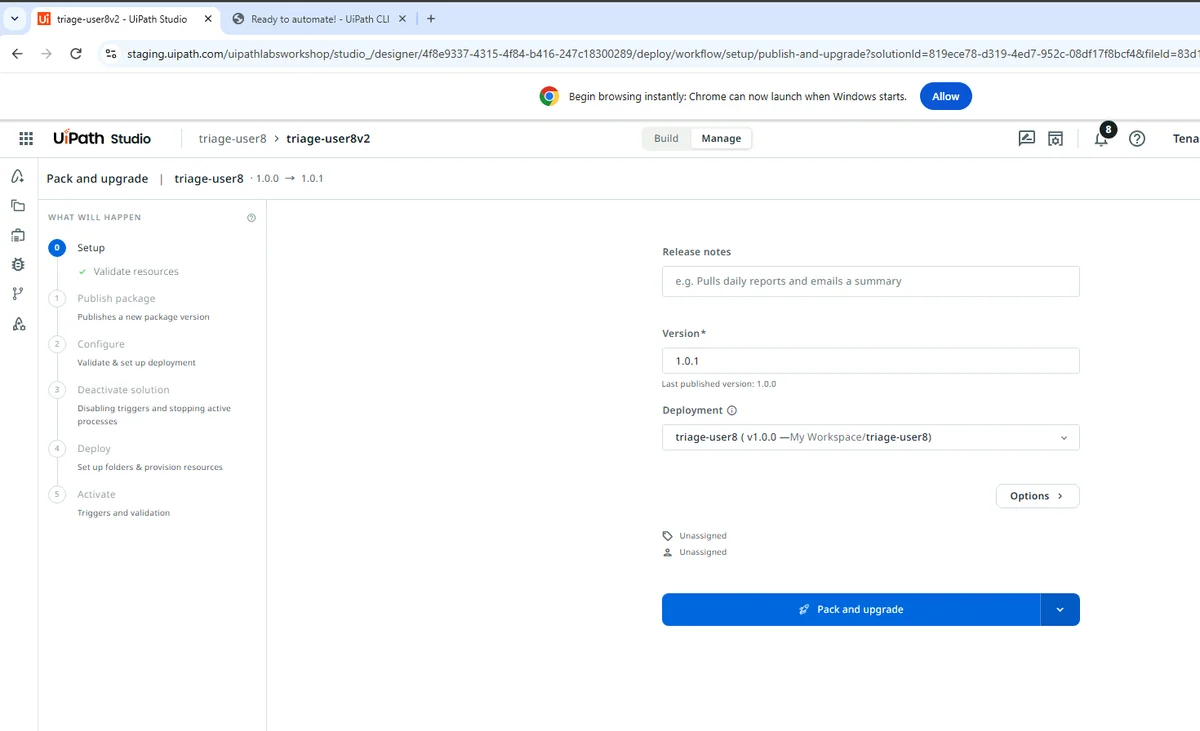
In the designer, click Pack and upgrade, bump the version, and deploy.
-
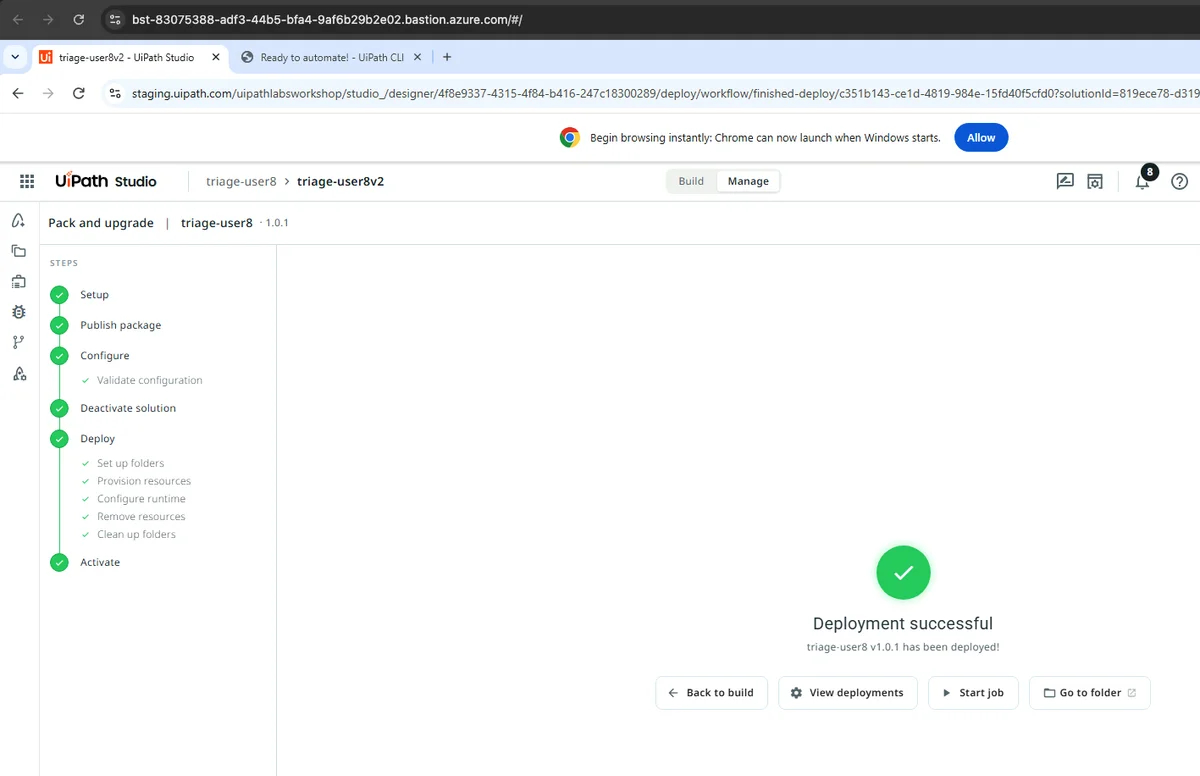
Wait for "Deployment successful" before the next prompt.
Checkpoint
"Deployment successful" with the new version. If you prompt Codex too early it finds no V2 release and stops.